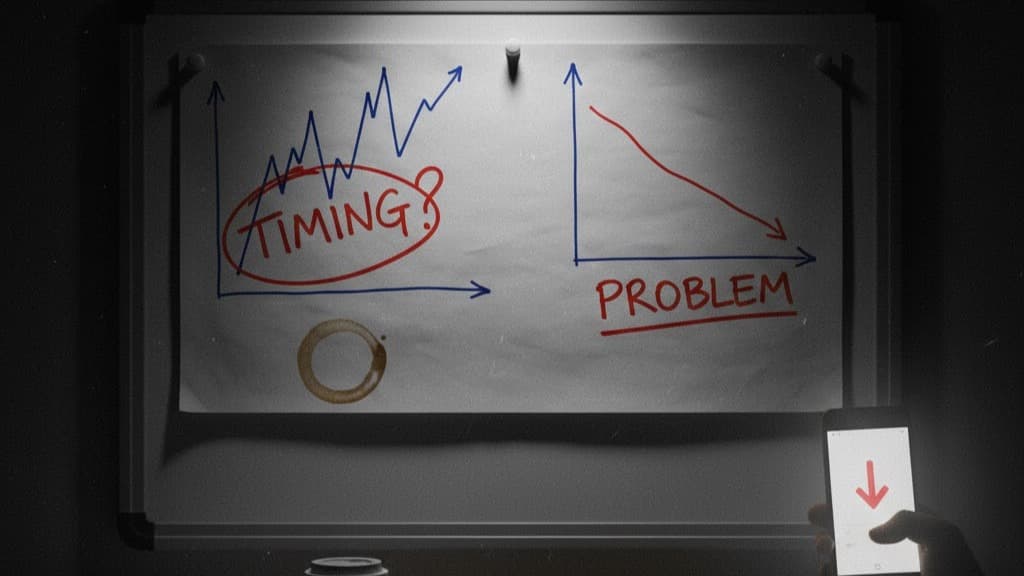
You check your daily P&L and yesterday was red. Down $800. Your stomach drops. Is the business in trouble? Should you cut ad spend immediately?
Take a breath. A single bad day is usually timing, not a crisis. Stripe's payout schedule, a one-off refund, or a weekend gap can turn an otherwise healthy business day into a red number. The real question isn't "was yesterday bad?" It's "is this a pattern or a blip?"
Here's how to tell the difference—and when each scenario actually requires action.
The decision framework
When you see a red day, run through this checklist:
Check 1: Was the payout light?
Look at yesterday's Stripe payout. Common reasons for a light or missing payout:
- Weekend/holiday: Banks don't process payouts on weekends. Monday's payout often includes Friday's settlements—so Saturday and Sunday show zero cash in.
- Stripe processing delay: Occasionally Stripe batches payouts differently, leading to a light day followed by a heavy day.
- Payout schedule change: If you switched from daily to weekly payouts (or vice versa), the transition creates gaps. See how Stripe's payout schedule affects your daily numbers.
If the payout was light and you expect it to normalize tomorrow → likely timing. Monitor, don't react.
Check 2: Was there a one-off refund or chargeback?
Check Stripe for refunds and disputes processed yesterday:
- A single large refund ($297–$997 on a course or high-ticket product) can turn an otherwise green day red
- A chargeback includes the lost revenue plus a $15+ dispute fee
- Refund processing dates don't align with the original sale date
If a specific refund or chargeback caused the red day and refund rates are normal overall → one-off event. Note it and move on.
Check 3: Is this happening repeatedly?
This is the critical question. Look at the last 5–7 days:
| Pattern | Likely cause | Action needed? |
|---|---|---|
| 1 red day surrounded by green | Payout timing or one-off refund | No—monitor |
| 2 red days then recovery | Weekend gap or light payout batch | No—check if payouts caught up |
| 3+ consecutive red days | Structural issue | Yes—investigate |
| Alternating red/green but trending worse | Margins thinning | Yes—review costs and efficiency |
| Red days correlating with increased spend | Spend scaling faster than cash in | Yes—check unit economics |
If you see 3+ consecutive red days or a worsening trend → this is likely a real problem. Dig in.

Want your real daily cash flow — not Stripe's version of it?
Try NetDay freeFree 7-day trial · No credit card required
When it's timing: common scenarios
Scenario 1: The Monday dip
What happened: Saturday and Sunday showed zero cash in (no bank processing), plus Monday's payout was light because it only included Thursday's settlements.
What it looks like: Three "bad" days (Sat/Sun/Mon) when the business was actually fine.
What to do: Nothing. Tuesday or Wednesday's payout will catch up. If you track a rolling 7-day average, these dips smooth out entirely.
Scenario 2: The big refund
What happened: A $997 course refund processed on a day when your Stripe payout was $2,400 and Meta spend was $1,800. Without the refund: +$600. With the refund: −$397.
What it looks like: A loss day caused entirely by one customer's refund.
What to do: Check your overall refund rate. If it's within normal range (5–10% for info products), this is noise. If refunds are increasing, that's a different issue—see how refunds impact your daily profit.
Scenario 3: The payout gap
What happened: You switched from daily to 2-day rolling payouts. The first day of the new schedule had no payout (Stripe was batching). The second day had a double payout.
What it looks like: A catastrophic loss day followed by an unusually great day.
What to do: Nothing—this is a one-time schedule transition. Check Stripe's payout schedule details to understand the new rhythm.
When it's a real problem: patterns to catch
Pattern 1: Three or more consecutive red days
If cash out exceeds cash in for three or more days in a row (after accounting for weekend gaps), something structural is likely off:
- Check ad spend vs. cash in ratio: Are you spending more but cash in isn't growing proportionally? Your ROAS might look fine but actual cash conversion is declining.
- Check refund rate: Has it increased from your baseline? A jump from 6% to 12% refund rate can turn profitable days into losses.
- Check payout amounts: Are individual payouts declining even though charges seem steady? This could indicate more failed charges, partial refunds, or increased fees.
Pattern 2: Rising refunds eating margins
If you notice refund-related deductions increasing week over week, that's rarely timing:
- New ad audiences that are lower quality
- Product not meeting expectations set by ad creative
- Seasonal demand shift (people buy impulsively, refund after)
- Fulfillment issues (shipping delays, wrong items for physical products)
Track your refund rate as a percentage of charges, not just the dollar amount. A $500 refund day when you're doing $10K in charges (5%) is different from $500 when you're doing $2K (25%).
Pattern 3: Ad spend scaling, cash not following
You increased Meta spend from $2,000/day to $3,000/day. ROAS held at 2.5x. But daily cash net didn't improve—or got worse. This can happen when:
- Attribution is over-counting (both Meta and Google claiming the same sales)
- Refund rate increases at higher volume
- You've saturated your best audiences and new spend is less efficient in cash terms
- Payout timing creates a larger gap at higher volume
For diagnosing this specifically, see tracking Meta Ads profit daily and tracking ad spend vs. revenue in Stripe.
Pattern 4: Overhead creeping up
Sometimes the red days aren't about ad efficiency at all—they're about fixed costs growing quietly:
- Added a new tool ($79/month = $2.63/day)
- Hired a contractor ($1,500/month = $50/day)
- Platform fee increase ($297 → $497/month = $6.67/day more)
Individually small, but they compound. If your margin was $200/day and overhead grew by $100/day over three months, you've halved your profit without changing anything about your ads. Calculate your daily overhead and compare it to three months ago.
What to do on a bad day: the 5-minute checklist
- Check Stripe payouts: Was there a payout yesterday? How much? Is this normal for this day of the week?
- Check refunds/chargebacks: Any processed yesterday? What's the refund rate this week vs. last?
- Check Meta spend: Any spike? Steady with prior days?
- Look at the last 7 days: Is this the first red day in a while, or part of a trend?
- Decision:
- First red day + normal causes = timing. Note it, check tomorrow.
- Second consecutive red day = watch closely. Check tomorrow.
- Third consecutive red day = investigate. Review all costs, refund rates, and payout patterns.
Common questions
When should I worry about a bad day in my daily P&L?
Worry when bad days cluster (3+ consecutive red days), when the cause is structural (rising refund rate, increasing ad spend with flat cash in, or growing overhead), or when your 7-day rolling average trends negative. A single red day between green days is almost always timing—check payout schedules and one-off refunds before reacting.
Why did I have a bad day when revenue looked good?
Because revenue and cash are on different timelines. Revenue is recorded when the sale happens (charge date). Cash in happens when the payout settles (2–7 days later). A "good revenue" day can have zero cash in if no payout landed that day. Add a refund or chargeback, and the day goes red despite "strong" revenue.
How do I know if a bad day is timing vs a real problem?
Ask three questions: (1) Was the payout unusually light or missing? Check Stripe's payout schedule. (2) Was there a one-off refund or chargeback? Check Stripe disputes/refunds. (3) Is this happening repeatedly? If yes to #1 or #2 and no to #3, it's timing. If #3 is yes, dig deeper—it's likely a real problem.
What should I do after multiple bad days in a row?
Investigate the cause systematically: check if payout schedules shifted (Stripe sometimes delays), look at refund rates vs. historical average, compare ad spend to last period's, and review whether overhead costs increased. Three or more bad days usually point to at least one structural issue, not just timing.
A red day isn't always a red flag. Check the cause, watch the pattern, and act when it's structural. Try NetDay free for 7 days to see your daily net and 7-day trend—so you know when to worry and when to wait.

Written by
MalikFounder
Founder of NetDay. Builds tools for operators who run paid traffic and need to know if they made money yesterday.
Related Articles

Daily P&L for DTC Brands: What It Is and How to Get It
Daily P&L for DTC means knowing if yesterday was profitable—not waiting until month end. Here's what it is, how to calculate it, and how to automate it.
The Best Profit Dashboard for Anyone Running Paid Traffic in 2026
Comparison of the best profit dashboards for paid traffic in 2026 — from Shopify-only tools to attribution platforms to simple daily P&L. Find the right fit.
Northbeam Alternative: Daily Profit Without the Attribution Price Tag
Northbeam is a powerful attribution tool—but it's expensive, complex, and answers a different question than most operators actually need. Here's what to use instead.
Generate clarity from your cash — automatically.
Stop guessing if ads made money. NetDay shows your real cash in and out by day.
- 30-day money-back guarantee
- Real cash movements by day
- Cancel anytime