A good ROAS doesn't mean you're profitable. Meta Ads Manager might show a 3x return, but that number is modeled—it doesn't account for Stripe fees, refunds, chargebacks, payout timing, or your fixed costs. The only way to know if your Facebook Ads are actually profitable is to compare real cash in (what landed in your bank) to real cash out (what left) for the same day. If more came in than went out, you made money. If not, you didn't—regardless of what ROAS says.
Here's how to figure it out.
Why ROAS doesn't answer the question
When you ask "am I profitable running Facebook Ads?", you're really asking: did I make more money than I spent? ROAS seems to answer that, but it's measuring something different:
- ROAS is modeled: Meta uses attribution windows (1-day click, 7-day click) to estimate which sales your ads drove. It's an estimate, not a bank statement.
- ROAS ignores fees: Stripe takes ~2.9% + 30¢ per transaction. On $10,000 in revenue, that's $320 gone before you see a dollar.
- ROAS ignores refunds: A course buyer refunds 14 days later. Meta already counted that sale in your ROAS. Your real revenue dropped; your ROAS didn't.
- ROAS ignores timing: You spent $2,000 on ads today. The revenue Meta attributes to those ads might land in your bank 3-5 days later via Stripe payouts.
- ROAS ignores fixed costs: Platform fees, tools, team—none of this is in ROAS.
So a 3x ROAS can look profitable while your bank account tells a different story. For a deeper dive, see why ROAS lies and what to use instead.

Still guessing if your Meta Ads are actually profitable?
Try NetDay freeFree 7-day trial · No credit card required
What "actually profitable" means
Actual profitability is simple math—but with the right inputs:
Daily profit = Cash in that day − Cash out that day
Cash in
Money that actually landed in your bank that calendar day:
- Stripe payouts (by settlement date, not charge date)
- PayPal transfers (if applicable)
Cash out
Money that actually left that day:
- Facebook/Meta ad spend charged that day
- Refunds processed that day
- Chargebacks posted that day
- Stripe processing fees
- Fixed costs (tools, platforms, team)
The verdict
If cash in > cash out → profitable day. If not → you lost money. Do this daily and you'll know exactly whether your Facebook Ads are making you money—not whether Meta thinks they are.
A practical example
Say you're a course creator running Facebook Ads:
- ROAS in Ads Manager: 3.2x (looks great)
- Meta says you earned: $6,400 from $2,000 in spend
- But today's reality:
- Stripe payout that landed today: $4,800 (from charges 3 days ago)
- Meta ad spend charged today: $2,000
- Refunds processed today: $350
- Stripe fees in today's payout: $160
- Daily net: $4,800 − $2,000 − $350 − $160 = $2,290 (profitable)
That $2,290 is your real number. Not $6,400. Not 3.2x. Real cash. And on another day, that same "3.2x ROAS" might produce a negative daily net—because different charges are hitting different payouts.
How to track this daily
The manual way
- Check Stripe dashboard → note today's payout amount
- Check Meta Ads Manager → note today's spend
- Check for refunds and chargebacks in Stripe
- Subtract all cash out from cash in
- Repeat every day
This works but depends on you doing it consistently. Miss a weekend and you're guessing. For more on when this breaks, see when to stop using spreadsheets for Stripe reconciliation.
The automated way
Connect Stripe and Meta Ads to a tool that aligns cash in and cash out by calendar day automatically. NetDay does exactly this:
- Connects to Stripe (read-only): Pulls payouts, charges, refunds, and fees by settlement date.
- Connects to Meta Ads (read-only): Pulls daily ad spend.
- Shows daily net: Cash in minus cash out for each day—green, red, or break-even.
No spreadsheets. No manual exports. You check your daily verdict and know immediately if your Facebook Ads made money yesterday.
For a full walkthrough, see how to track your Meta ad spend against Stripe revenue.
Signs your Facebook Ads might not be profitable (even with good ROAS)
Watch for these:
- Your bank balance isn't growing despite "good" ROAS—revenue timing and costs are eating your margin.
- Refund rate is creeping up: Each refund erases a sale Meta already counted.
- You increased spend but cash didn't increase proportionally: Diminishing returns at scale.
- You can't answer "did yesterday make money?": If you don't know, you don't have daily P&L visibility.
For more on spotting real problems vs timing issues, see when to worry about a bad day vs timing.
Common questions
How do I know if my Facebook Ads are profitable?
Don't rely on ROAS alone. Instead, compare actual cash in (Stripe payouts by settlement date) to cash out (ad spend, refunds, fees) for the same calendar day. If cash in exceeds cash out, your ads are profitable in real terms.
Is a 3x ROAS on Facebook Ads good?
A 3x ROAS means Meta thinks you earned $3 for every $1 spent—but that's modeled revenue, not cash. After Stripe fees, refunds, chargebacks, and payout delays, the real number is often lower. The only way to know is to track actual cash movement.
Why does ROAS look good but I'm not making money?
ROAS is based on Meta's attribution model and doesn't account for Stripe fees (2.9% + 30¢), refunds, chargebacks, payout timing, or fixed costs. A 3x ROAS can still mean you're losing money once real costs are factored in.
ROAS tells you what Meta thinks happened. Daily cash flow tells you what actually happened. Try NetDay free for 7 days—no credit card required—and find out if your Facebook Ads are actually profitable.

Written by
MalikFounder
Founder of NetDay. Builds tools for operators who run paid traffic and need to know if they made money yesterday.
Related Articles
How to Track Profit for Your Whop Products
Whop shows your sales. It doesn't tell you if your ads are profitable. Here's how to track daily P&L for Whop sellers running paid traffic.

Running Meta Ads and Stripe? How to Avoid Month-End Surprises
Your Meta Ads and Stripe numbers look great all month—then the bank tells a different story. Here's why it happens and how to catch it before day 30.
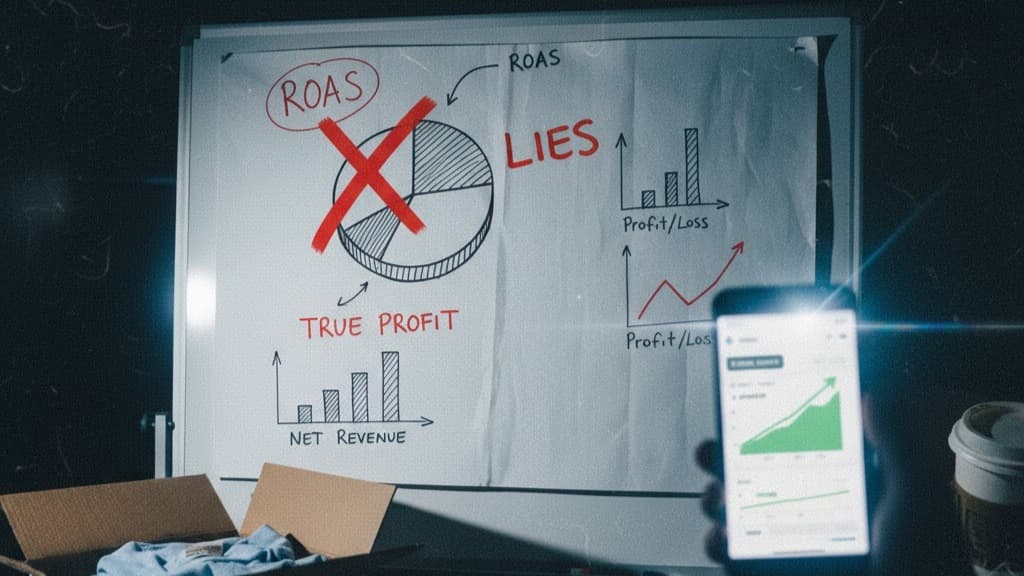
Why ROAS Lies (And What to Look At Instead for Real Profitability)
Your ROAS says 3x but your bank account disagrees. Here's exactly why ROAS misleads ad-dependent businesses—and the metric that actually shows daily profit.
Generate clarity from your cash — automatically.
Stop guessing if ads made money. NetDay shows your real cash in and out by day.
- 30-day money-back guarantee
- Real cash movements by day
- Cancel anytime